
With the introduction of the new Personal Income Tax provisions under the Nigeria Tax Act, effective from January 1, 2026, individuals earning income through digital platforms and wallets such as OPay must take extra steps to remain tax-compliant.
Many OPay users receive income, make business-related payments, and manage daily expenses directly through the app. However, proper record-keeping is now essential, as tax authorities require clear documentation of income and allowable expenses.
IREMITTAX simplifies this process and enables OPay users to stay compliant without any accounting knowledge. Below is a step-by-step guide on how to do this correctly.
Why OPay Users Need to Take Action
Under the new tax law:
- Personal Income Tax applies to all taxable income, including digital wallet transactions
- Taxpayers are required to maintain proper records of income and expenses
- Deductions are only allowed when supported by clear transaction records
OPay does not currently provide a direct “Statement of Account” feature that can be easily uploaded for tax reporting. However, transaction data can still be exported and properly structured using IREMITTAX.
How IREMITTAX Helps OPay Users Stay Compliant
IREMITTAX provides a smart ledger system that allows users to:
- Import OPay transaction records
- Automatically organize income and expenses
- Identify deductible expenses under the Nigeria Tax Act 2025
- Maintain clean, audit-ready tax records
All of this can be done without prior accounting or tax knowledge.
Step-by-Step Guide: Importing OPay Transactions Into IREMITTAX
Step 1: Access Transaction History on OPay

Log in to your OPay app and navigate to Transaction History.
Step 2: Select Transactions by Month
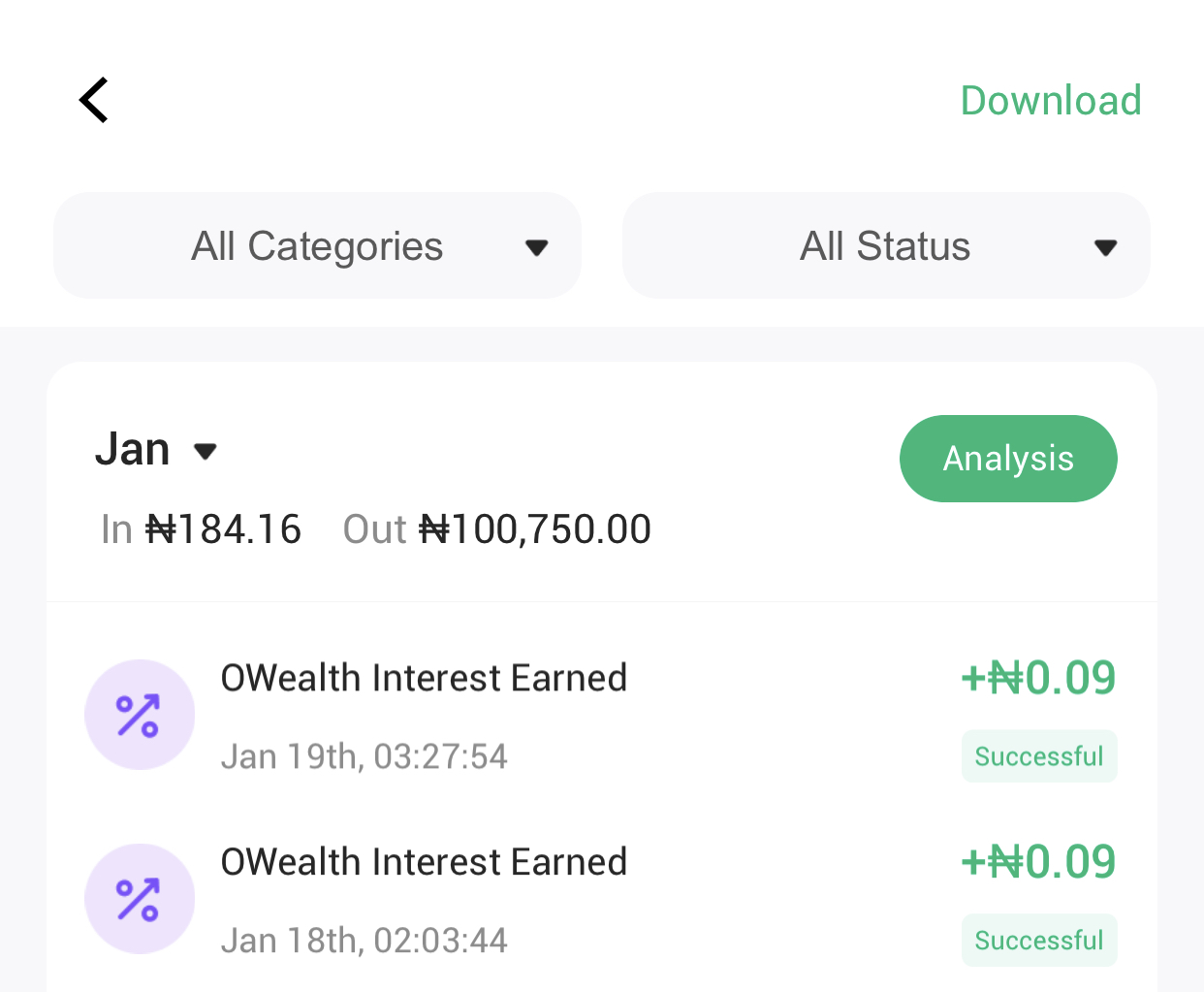
Choose a specific month.
For accuracy and easy tracking, IREMITTAX recommends importing one month at a time.
For example, start with January 2026.
Step 3: Download Transactions as PDF
After selecting the month, download the transaction history as a PDF file.
This PDF will serve as your transaction record for that month.
Step 4: Log in to Your IREMITTAX Dashboard
Visit the IREMITTAX website and log in to your account.
Once logged in, go to the Dashboard and select the Import tab.
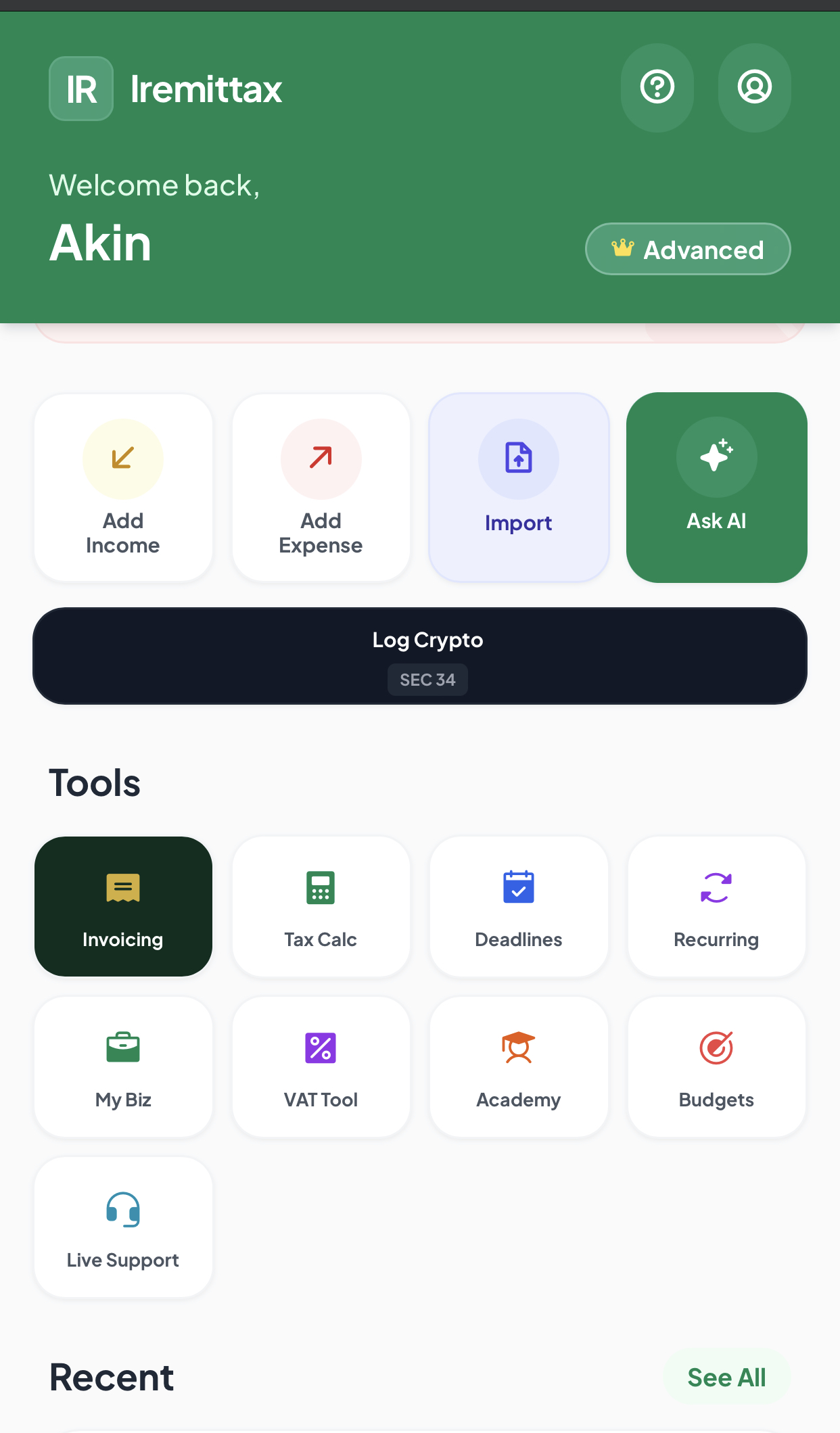
Step 5: Upload the OPay PDF
Upload the PDF file generated from OPay.
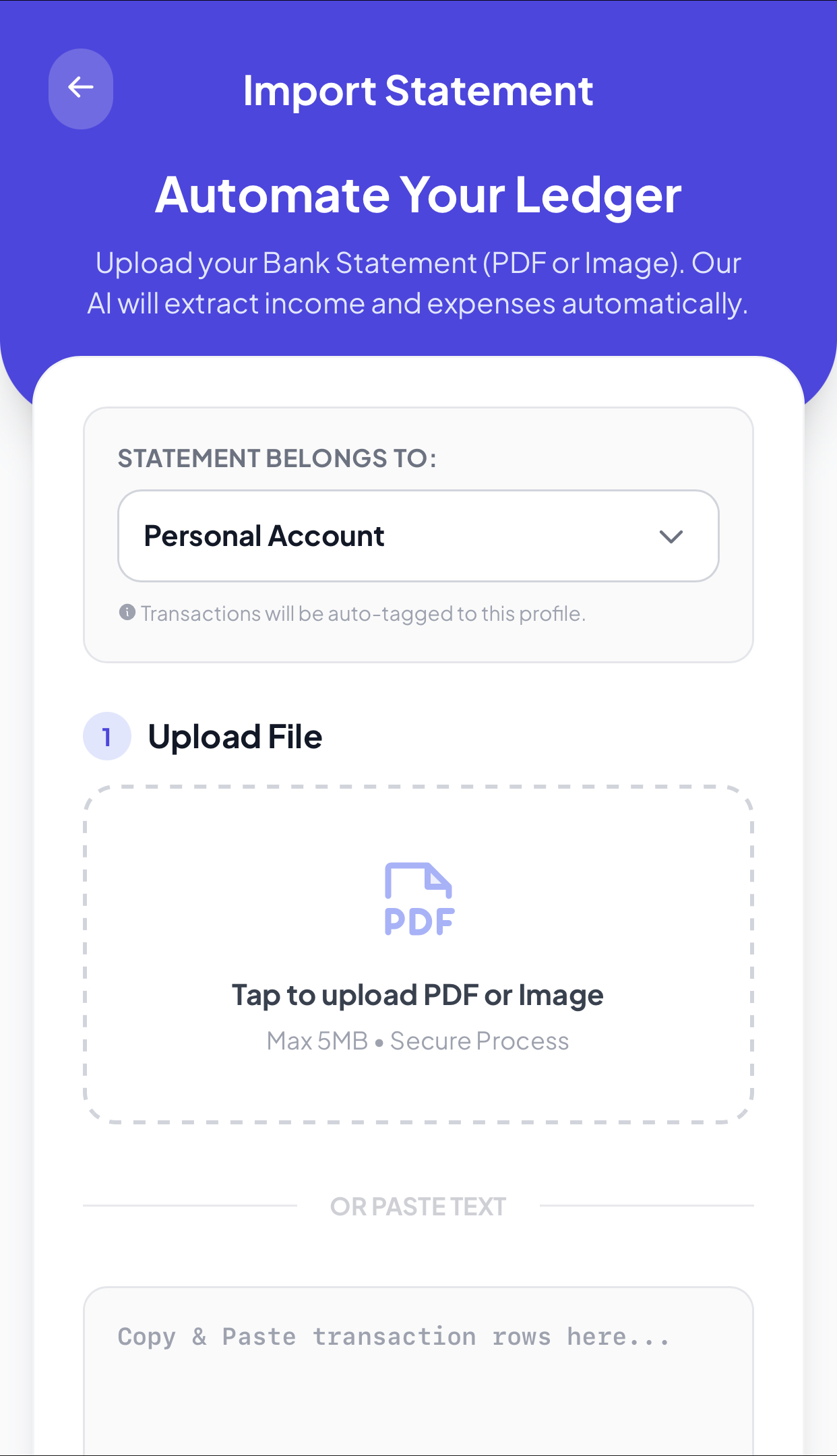
The IREMITTAX system will read the document and display all transactions for the selected month.
Step 6: Review and Add Transactions to Your Ledger
IREMITTAX uses intelligent automation to:
- Classify income
- Identify potential deductible expenses based on the New Tax Law 2025
While the system uses artificial intelligence to assist with classification, users are encouraged to review the records to confirm accuracy before adding them to the ledger.
Once confirmed, proceed to add the transactions to your ledger.
Confirming Your Records
After importing:
- You can review your records under Transaction History, or
- View summaries and deductions in the Reports section of your IREMITTAX dashboard
This ensures your income and expenses are properly documented and aligned with current tax regulations.
Stay Compliant Without Stress
By consistently importing your OPay transactions into IREMITTAX:
- Your records remain up to date
- You reduce the risk of tax penalties
- You are prepared for tax filings and possible audits
- You remain fully compliant with Nigeria’s Personal Income Tax requirements
How IREMITTAX Supports You
IREMITTAX is designed to help individuals and small business owners:
- Stay compliant with the Nigeria Tax Act 2025
- Manage income and expenses effortlessly
- Prepare accurate tax reports
- File taxes with confidence
All without needing accounting or tax expertise.
Disclaimer
This article is provided by IREMITTAX for general informational purposes only and does not constitute professional tax advice. Tax obligations may vary based on individual circumstances. Users are advised to consult a qualified tax professional for personalized guidance